Editable Canva Frames, Abstract Shapes for Modern Design
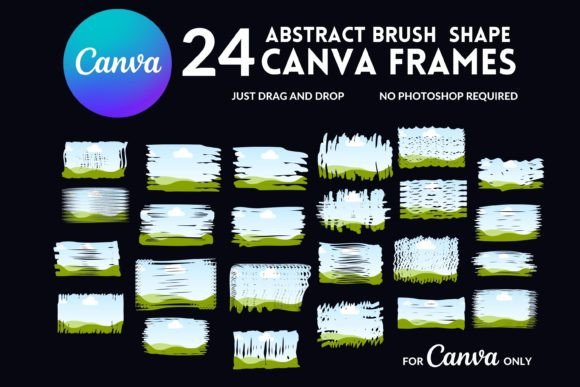
In a world saturated with standard rectangular images and predictable layouts, standing out requires a shift in visual perspective. As creators, we often find ourselves constrained by the rigid structures of traditional templates. This is where the concept of editable Canva frames, specifically those utilizing abstract shapes, becomes a game-changer for your workflow. It is not just about placing a photo inside a border; it is about deconstructing the standard square and rebuilding it with organic, fluid, and modern geometry. This collection of 24 editable frames offers a bridge between raw creativity and professional polish, allowing you to transform ordinary images into striking visual assets without needing advanced software skills.
The Visual Power of Abstract and Brush Stroke Elements
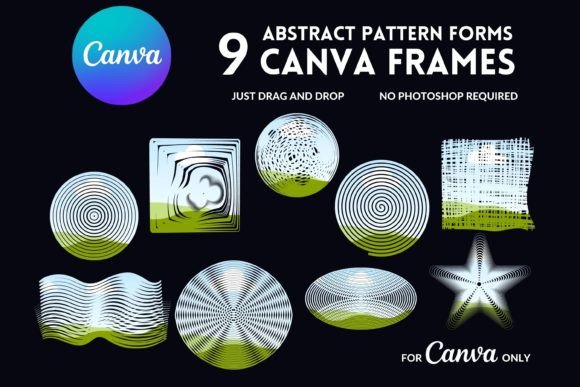
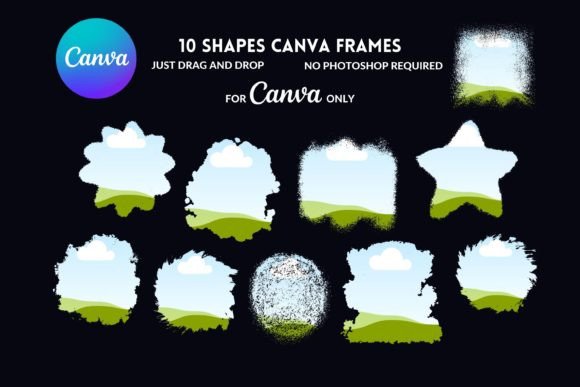
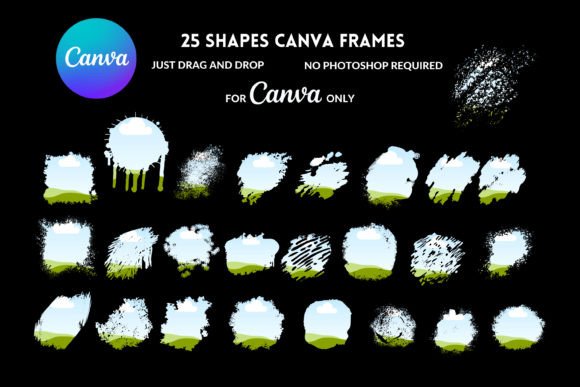
Understanding the aesthetic of these templates is key to using them effectively. When we talk about abstract shapes in the context of design assets, we are referring to the departure from rigid perfection. These frames often feature irregular curves, overlapping geometric forms, and organic blobs that mimic natural movement. The inclusion of brush stroke textures adds a layer of tactile warmth. It breaks the "digital sterility" that can sometimes plague online graphics. By combining these elements, the Editable Canva Frames, Abstract Shapes collection creates a style that feels artistic, hand-crafted, and distinctly contemporary.
The personality of these frames is versatile. Depending on the image you place inside them, the vibe can shift from edgy and avant-garde to soft and whimsical. For a brand identity that values creativity, innovation, or a human touch, these shapes communicate that message instantly. They suggest that the brand is not afraid to think outside the box—literally. The "fill your own" drag-and-drop mechanism ensures that while the shapes are complex, the user experience remains intuitive. You are essentially getting the sophisticated look of custom graphic design with the accessibility of a standard template.
Strategic Applications for Branding and Marketing
For entrepreneurs and small business owners, visual consistency is the bedrock of brand recognition. However, consistency does not mean monotony. Editable Canva frames allow you to maintain a cohesive color palette and typography while varying the layout and photo presentation. Imagine using these abstract masks for your Instagram grid. Instead of a static row of portraits, you can create a dynamic flow where images are cropped into soft, irregular edges, creating a visual rhythm that encourages users to keep scrolling.
In the realm of logo design and brand identity, these frames serve as excellent supplementary assets. They can be used to create watermarks, pattern backgrounds, or "about me" sections on websites that feel more bespoke than stock options. For marketers, the "stop the scroll" factor is real. A standard rectangular ad often blends into the background noise of a social feed. However, an ad featuring a product image clipped into a jagged, paint-stroke shape or a smooth, futuristic curve demands a second look. This visual hierarchy is crucial for engagement.
Editorial Design and Digital Publishing
Bloggers and publishers often struggle with making featured images feel unique. Using Editable Canva Frames, Abstract Shapes allows you to create a signature style for your blog posts that readers will come to recognize. In digital magazine layouts or lookbooks, these frames can break up the monotony of text-heavy pages. They provide visual breathing room and add a layer of sophistication that elevates the perceived value of the content. Whether you are designing a media kit or a digital catalog, these drag-and-drop templates streamline the production process while delivering high-end results.
Practical Guidance for Design Integration
When selecting which of the 24 frames to use, consider the emotional tone of your image. A chaotic, splattered brush stroke frame pairs well with energetic, action-oriented photos or vibrant, colorful subjects. Conversely, a smooth, geometric abstract shape might be better suited for corporate headshots or minimalist product photography where the focus needs to remain clear.
Font pairing is another critical consideration. Since these frames are visually distinct, your typography needs to complement them without competing for attention. If you are using a frame with a lot of texture and movement, opt for a clean sans-serif font for your body text to ensure readability. Conversely, if the frame is a simple, clean geometric shape, you have more room to experiment with a display font or a handwritten script for headers to add personality. The goal is balance; let the abstract shapes act as the artistic anchor while your typography delivers the message clearly.
Commercial Use and Workflow Efficiency
One of the most significant advantages of this specific digital product is the commercial licensing. For designers and agencies, the ability to use these assets for client work is invaluable. You can use them to mock up social media campaigns, design flyers, or create packaging concepts. The "editable in Canva" aspect removes the barrier of entry for clients who may not have access to Adobe Creative Cloud. You can design the concept, and they can make minor edits or swap photos themselves, creating a collaborative workflow that saves time and reduces revision rounds.
The delivery method—a PDF with a direct link—is standard for digital products, but the value lies in the editability. Once you upload the frames to your Canva account, they become part of your library. You can resize them, recolor them to match specific brand hex codes, and adjust the transparency. This flexibility ensures that the Editable Canva Frames, Abstract Shapes are not a one-time use asset but a long-term component of your design toolkit.
Final Thoughts on Visual Impact
Ultimately, design is about communication. The tools we choose tell a story about our brand and our attention to detail. By integrating abstract shapes and brush stroke elements into your visual strategy, you move away from generic templates and toward a more curated, professional aesthetic. These frames are more than just decorative borders; they are structural elements that can reshape how your audience perceives your content. Whether you are a crafter looking to sell more prints, a blogger aiming for a magazine-quality layout, or a marketer seeking higher engagement, the strategic use of these editable frames offers a practical, stylish solution.