Canva Burger Sandwich Cookbook: The Ultimate Template for Food Creators
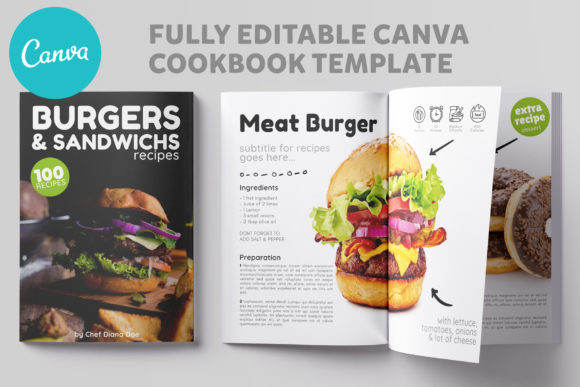
For food bloggers, chefs, and culinary influencers, the challenge isn't just creating delicious recipes—it's presenting them in a way that captivates your audience. You've perfected the dish, styled it for the camera, and now you need a professional vessel to deliver your knowledge. Enter the Canva Burger Sandwich Cookbook, a comprehensive 20-page template designed specifically for the modern food creator. This isn't just a collection of pages; it's a complete publishing toolkit that transforms your recipes into a polished, shareable digital magazine.
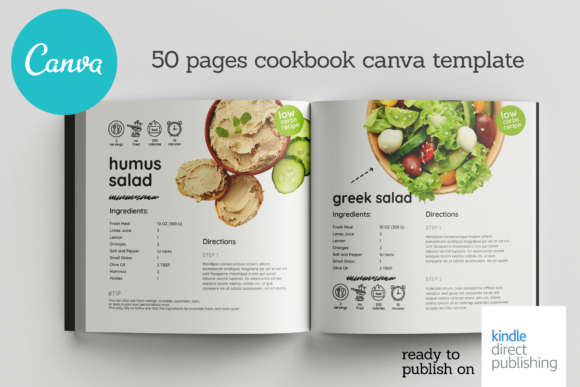
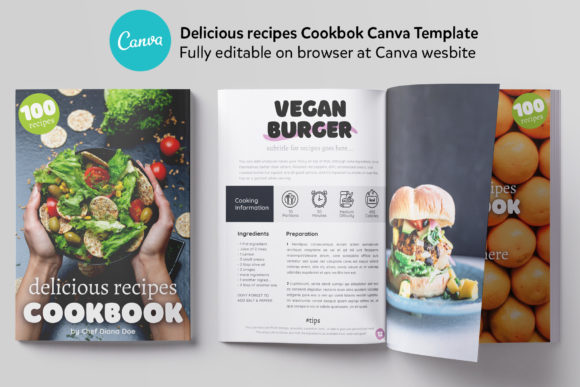
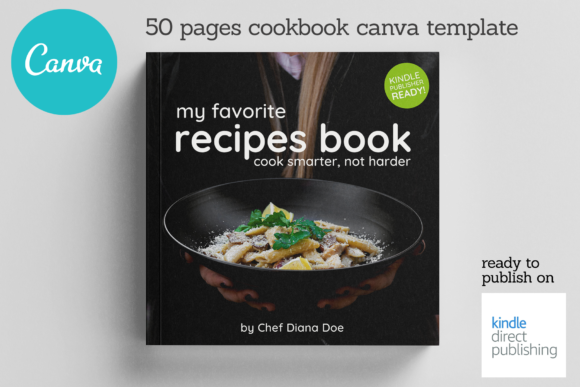
Visual appeal is everything in the food industry. The Canva Burger Sandwich Cookbook template understands this implicitly. Its design personality is clean, modern, and intentionally appetizing. Think of it as a blank canvas that elevates your food photography. The layouts utilize generous white space, allowing your images to breathe and become the star of the page. The typography choices within the template are carefully selected to complement food content—balancing readability with a touch of editorial flair. It strikes a perfect balance between a sleek, professional recipe book and an engaging, scroll-stopping magazine layout. The overall style avoids clutter, focusing instead on clear hierarchy: your recipe titles command attention, ingredient lists are scannable, and step-by-step instructions guide the reader effortlessly.
Beyond the Burger: Versatile Applications for Every Creator
While its name suggests a focus on burgers and sandwiches, the true strength of this template lies in its adaptability. It's a foundational design asset for anyone in the culinary space. Imagine using it to create a seasonal holiday cookbook, a curated collection of vegan desserts, or a portfolio of your signature cocktails. The structure is universally applicable. The 6 unique layouts for recipes provide the variety needed to keep your audience engaged, preventing visual monotony. One layout might feature a full-page hero shot, while another offers a side-by-side comparison of ingredients and finished dish. This flexibility is crucial for maintaining a dynamic brand identity across your published content.
The practical applications extend far beyond a standalone PDF. This template is a powerhouse for multi-platform content creation. Use it to generate individual recipe graphics for social media graphics on Instagram or Pinterest. Extract a single, beautifully formatted recipe page to include in a newsletter. The editorial page and about the author page are perfect for establishing your credibility and connecting with your audience on a personal level, which is vital for E-E-A-T (Experience, Expertise, Authoritativeness, Trustworthiness). For chefs and restaurateurs, it can serve as a digital menu supplement or a take-home recipe guide for customers. Food photographers and stylists can use it to present styled shoots to clients in a cohesive, professional manner.
Practical Guidance: Making the Template Your Own
Getting started is intentionally simple, removing technical barriers so you can focus on creativity. All you need is a free Canva account. The process involves copying and pasting a direct link from the included NOTES FILE to access the master templates. This direct link system ensures you're always working with the most current version. Once inside Canva, the template is fully editable. Every element—text, colors, fonts, and image placeholders—can be customized to match your personal or brand aesthetic. The A4 (210x297 mm) page size is a standard international format, perfect for both digital sharing and high-quality printing.
To maximize the template's impact, consider these practical steps. First, establish a consistent color palette that aligns with your existing brand identity. Use Canva's color picker to update headings, accents, and background elements. Second, pay close attention to font pairing. While the template provides a strong starting point, you might want to swap the default sans serif font for a complementary serif font to add a classic, authoritative feel to your recipe titles. Ensure any new fonts maintain excellent readability, especially for ingredient lists and instructions. Test how your chosen typefaces look at both screen and print sizes. Finally, use the table of contents page to create a logical flow for your cookbook, whether it's organized by meal type, cuisine, or main ingredient.
The inclusion of an editorial page and about the author page is a strategic advantage. These aren't afterthoughts; they are essential for building trust and context. Use the editorial page to introduce the theme of your cookbook or share a personal story about your culinary journey. The about page is your opportunity to showcase your expertise—whether you're a trained chef, a passionate home cook, or a food scientist. This personal touch transforms a simple recipe collection into a compelling narrative, fostering a stronger connection with your readers. It’s this attention to the complete publishing experience that makes the Canva Burger Sandwich Cookbook more than just a template—it's a launchpad for your culinary content.