Canva Desserts Recipes Book Template: A Sweet Solution for Your Culinary Content
For food bloggers, chefs, and culinary content creators, the challenge isn't just perfecting a recipe—it's presenting it in a way that's as appealing to the eye as it is to the palate. The Canva Desserts Recipes Book Template addresses this directly, offering a professionally designed framework that transforms your collection of recipes into a polished, shareable digital or print publication. It’s less about starting from a blank page and more about injecting your unique flavor into a proven layout.
A Visual Feast: Style and Personality of the Template
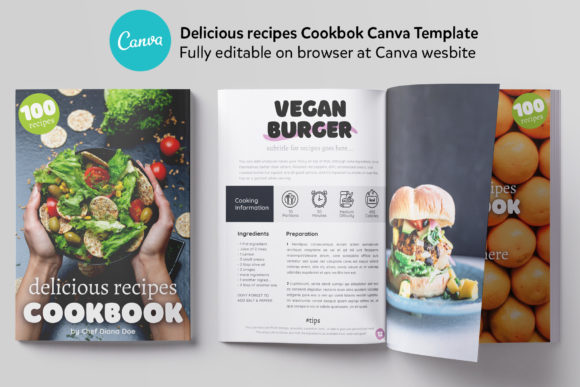
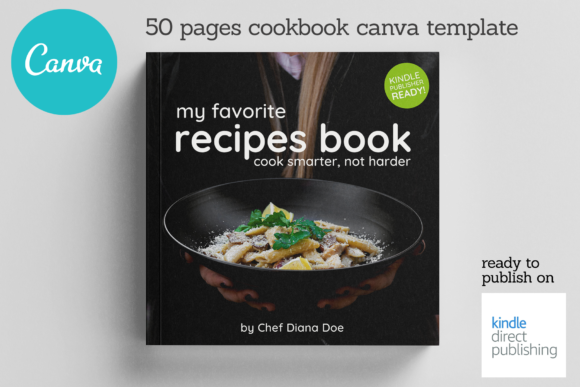
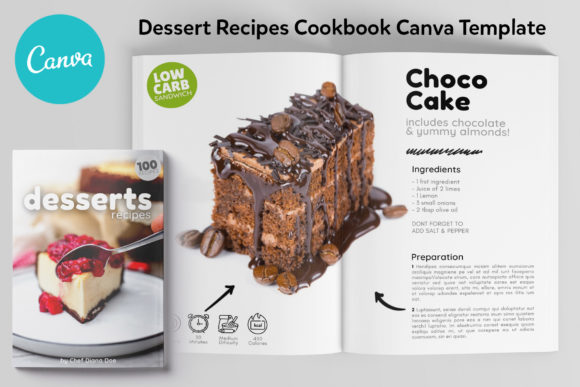
This template exudes a clean, modern, and appetizing aesthetic. It balances beautiful food photography with crisp, readable typography, creating a visual hierarchy that guides the reader effortlessly from the ingredient list to the final plated shot. The personality is approachable yet professional—think of a stylish contemporary cookbook you'd find on a bookstore shelf, but fully editable. The style relies on ample white space, elegant serif fonts for headings that suggest tradition and quality, and clean sans-serif typefaces for body text that ensure every instruction is legible. This combination creates a sense of trust and sophistication, making your recipes feel both accessible and gourmet.
The overall appeal lies in its versatility. Whether you're showcasing rustic, homemade desserts or avant-garde pastry creations, the template's neutral yet stylish foundation adapts to your content. It doesn't impose a single mood but rather provides a stage upon which your food photography and personal brand can shine. The included layouts—from the cover page to the "About the Author" section—work together to tell a cohesive story, which is fundamental for building a recognizable brand identity.
Where This Template Truly Works Best
The strength of the Canva Desserts Recipes Book Template is its focused utility. It’s a specialized design asset built for a specific purpose, and it excels in that arena.
- Digital Publishing & Lead Magnets: This is its prime territory. Food bloggers and chefs can use it to create stunning PDF recipe books as lead magnets to grow their email list. A beautiful, valuable freebie like this converts visitors into subscribers far more effectively than a simple blog post.
- Client Portfolios & Menus: Personal chefs, caterers, or bakers can customize the template to present a seasonal menu, a dessert portfolio for wedding clients, or a selection of signature dishes. It instantly elevates the perceived value of their service.
- Social Media Content Blocks: While the full book is the end product, individual pages can be repurposed. A beautifully designed recipe page can be exported as an image and shared on Instagram or Pinterest, providing high-value content that drives traffic back to your site or shop.
- Small-Batch Print Projects: For those wanting a physical product, the A4 sizing is perfect for short-run print books through services like Blurb or Lulu, or even for creating a gorgeous, personal keepsake for family and friends.
- Editorial Design for Food Magazines: Content creators putting together a digital food magazine or a mini-publication for a workshop will find the structured layouts and consistent styling invaluable for maintaining a professional editorial flow.
Practical Guidance for Using and Customizing Your Template
Getting started is straightforward, but a thoughtful approach will yield the best results. First, access the template via the direct link provided in the notes file—this ensures you're working with the master template. From there, the real work of customization begins.
Evaluate the Fit: Before you dive in, skim through all 20 pages. Does the overall style align with your existing brand colors and photography style? The template is a starting point, but a good foundation makes customization easier. If your brand is ultra-minimalist, you might simplify some decorative elements. If it's bold and colorful, you can adjust the color palette in Canva to match.
Master the Font Pairings: The template comes with a suggested font pairing, which is a huge time-saver. Typically, it pairs a serif font for elegant headings with a sans-serif font for clear body text. This is a classic, reliable font pairing that ensures readability and establishes a clear visual hierarchy. You can swap these, but test any new combinations thoroughly. A script or handwritten font can be tempting for titles, but use it sparingly—it might work for a "From the Kitchen of..." page but could harm readability in a recipe title.
Consistency is Key: Use the template's 6 unique recipe layouts to create variety, but maintain consistency. If you use a particular layout for chocolate recipes, consider using the same layout for all similar desserts. This helps readers recognize patterns and navigate your book intuitively, reinforcing your professionalism.
Leverage the Structure: Don't skip the "Editorial" or "About the Author" pages. These sections are crucial for brand perception and building a connection with your audience. A well-written author page transforms you from a faceless recipe source into a trusted expert, enhancing audience engagement.
Think Commercially: If you plan to sell the final recipe book, the Canva template license allows for this. You are creating an end product for sale, not reselling the template itself. This makes it a viable asset for creating commercial font and design-based products like paid cookbooks, workshop manuals, or premium content bundles.
In essence, the Canva Desserts Recipes Book Template is more than a set of pretty pages. It's a strategic tool that solves the common pain point of presentation for culinary creators. By providing a professional, editable structure, it allows you to focus on what you do best—developing and sharing incredible recipes—while ensuring the final product looks as good as it tastes. It’s a practical investment in your content's perceived value and your brand's visual identity.